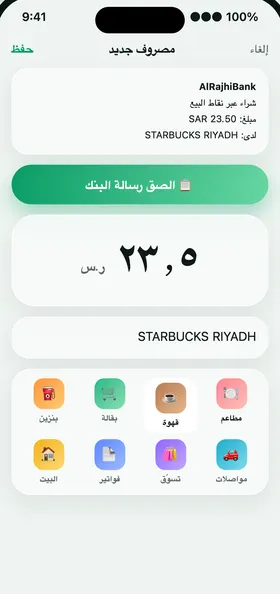
Straight from bank SMS
Paste a message or let Shortcuts add it automatically. No typing.
Qrnqsh reads your bank SMS, logs every expense for you, shows exactly where each riyal went, and helps you reach next payday with peace of mind.
How it works
Your month starts on payday, not on the 1st.
Qrnqsh reads the amount and merchant and sorts it: dining, coffee, groceries, fuel…
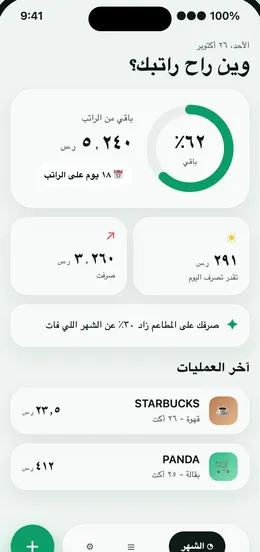
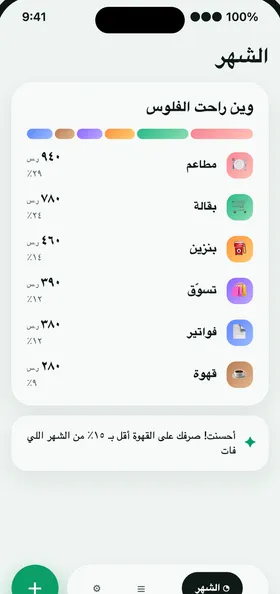
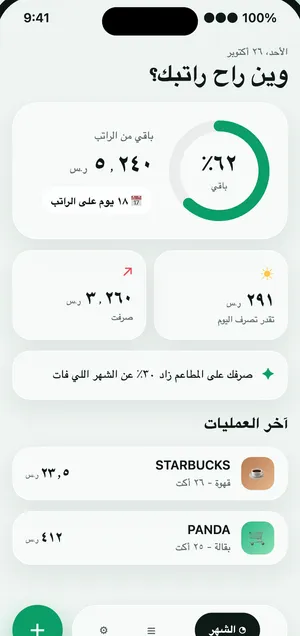
What is left, days to payday, what you can spend today, and where it all went.
No typing
Amount, merchant and category are added in a second. Make it fully automatic with Shortcuts.
Total clarity
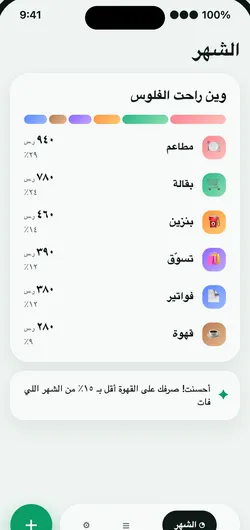
Spending split by category with clear shares, plus notes on what changed since last month.
Timely alerts
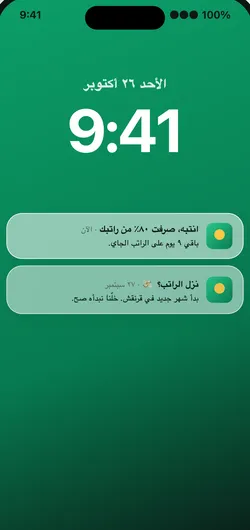
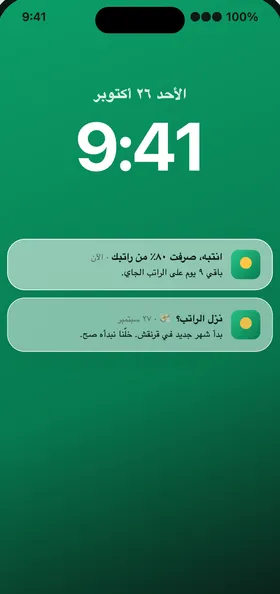
Alerts at 50% and 80% of your salary, and a reminder on payday so you start fresh.
Features
Paste a message or let Shortcuts add it automatically. No typing.
Your month follows your real salary date, so the numbers make sense.
One clear number for what you can spend today and still make it.
Heads-ups at 50% and 80% of your salary, and on payday.
"Dining is up 30% from last month" — see your habits at a glance.
Dining, coffee, groceries, fuel… see exactly which category eats your salary.
Qrnqsh is built to understand your spending without knowing your secrets.
Never connects to your bank
No passwords or card numbers
Bank SMS is read on your phone only
No ads, no ad tracking
Qrnqsh Plus
The essentials are free forever. Plus adds more tools, with a free first week.
0 SAR
9.99 SAR / month
1-week free trial
79.99 SAR / year
1-week free trial
No. Qrnqsh never connects to any bank or asks for logins. You paste or share a purchase SMS and the app reads it on your phone.
Yes, the core features are free. Qrnqsh Plus is an optional subscription for sync, reports, budgets and export, with a free first week.
It reads purchase SMS from Saudi banks in Arabic and English, and you can add any expense manually.
Because your spending really runs salary to salary, so you always know what is left until the next one.
No. The app works fully without one. An account is optional, for backup and sync with Plus.
Settings → My account → Delete account removes your account and cloud copy. Deleting the app removes local data.
Download Qrnqsh for free and start this month right.